Deploying a flow using the wizard
Deploy a flow definition to run an Apache NiFi flow in Cloudera Data Flow. You do this by selecting a flow definition and launching the deployment wizard, where you select an environment, provide values for required parameters, configure sizing, inbound connections, custom resources, and KPIs.
-
You have an enabled and healthy Cloudera Data Flow environment.
- The flow definition you want to deploy has been added to the Catalog by someone with DFCatalogAdmin role.
-
You must have at least DFCatalogViewer role granting you access to the Catalog.
- You must have at least DFCollectionViewer role granting you access to the collection where the flow definition is located.
-
You must have DFFlowAdmin role for the environment where you want to deploy the flow definition.
- You must have at least DFProjectMember role for the project where you want to deploy the flow definition.
- If you deploy custom processors or controller services, you may need to meet additional prerequisites.
For information on roles and authorization, see Cloudera Data Flow authorization.
Select the flow definition version you want to deploy from the catalog and start the deployment wizard
Select from flow definitions available to you in the Cloudera Data Flow Catalog and choose if you want to add the flow to an existing deployment or you want to create it in a new deployment.
-
In Cloudera Data Flow, select
 Catalog from the left navigation pane.
Flow definitions available for you to deploy are displayed, one definition per row.
Catalog from the left navigation pane.
Flow definitions available for you to deploy are displayed, one definition per row. -
Select a flow definition version then click Deploy
 to launch the deployment
wizard.
to launch the deployment
wizard.
- Select
 Create New
Deployment to
deploy the flow on a newly created NiFi cluster and continue with .
Create New
Deployment to
deploy the flow on a newly created NiFi cluster and continue with . - Select
 Add to Existing
Deployment to deploy the flow on an existing NiFi cluster and proceed with
Add to Existing
Deployment to deploy the flow on an existing NiFi cluster and proceed with
- Select
Launch the deployment wizard
Select a flow definition version, decide whether you want to deploy it on an existing NiFi cluster or you want to create a new one along the way. Follow the instructions in the deployment wizard.
to launch the deployment
wizard.
- Select Create New
Deployment to
deploy the flow on a newly created NiFi cluster and continue with .
- Select Add to Existing
Deployment to deploy the flow on an existing NiFi cluster and proceed with
Name your flow
When you add a flow to an existing deployment you must provide a flow name that is unique within that deployment. You can import an existing flow configuration to speed up flow deployment.
-
If the flow version you are deploying requires an inbound connection and the
target deployment does not have one, you see a warning. You cannot proceed until
you either add an inbound conection configuration to the deployment in the
Deployment Manager, or you select the I
understand and choose to proceed with the configuration as is.
option.
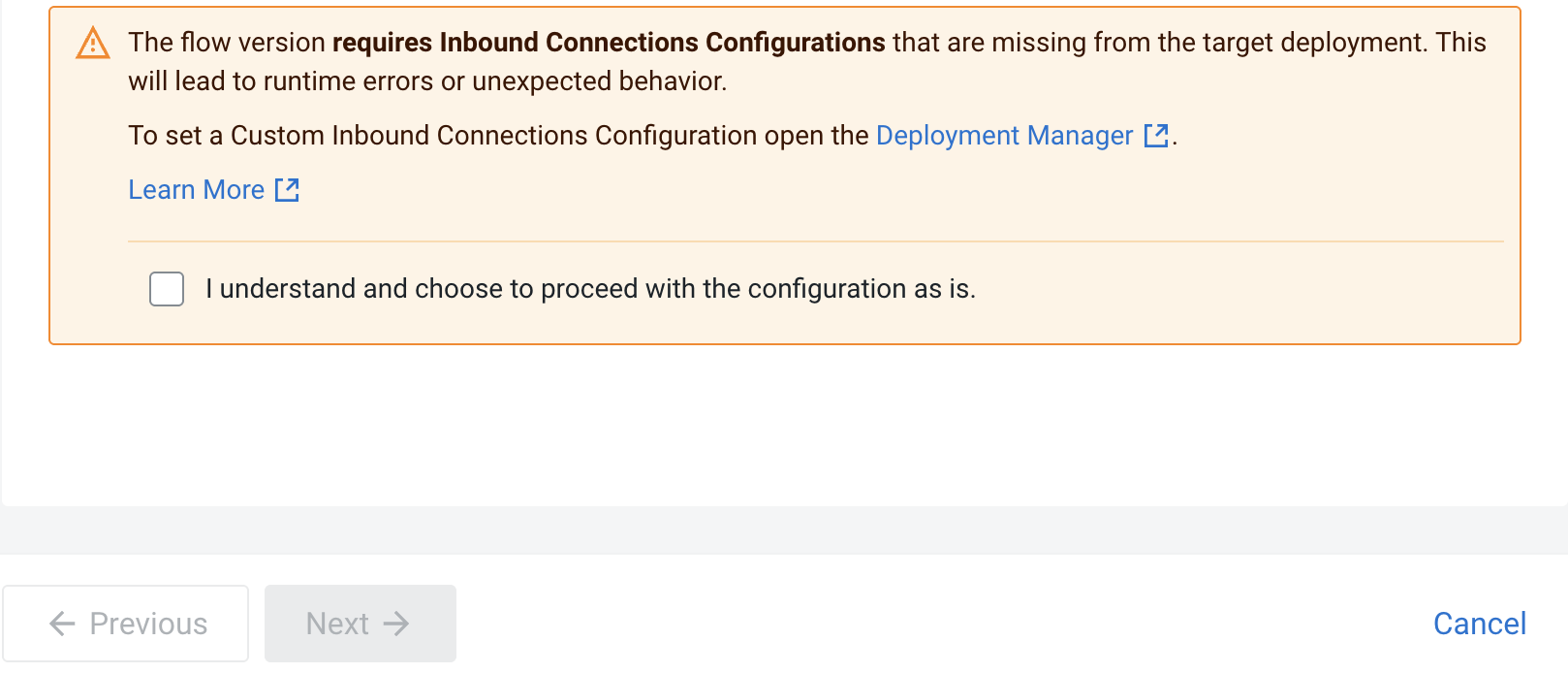
If you click To set a Custom Inbound Connections Configuration open the Deployment Manager
 option, Deployment Manager opens in a new window where
you can configure an inbound connection before proceeding with adding the
flow.
option, Deployment Manager opens in a new window where
you can configure an inbound connection before proceeding with adding the
flow.If you select the I understand and choose to proceed with the configuration as is. option, the Next
 button becomes active and you can
proceed with adding the flow without configuring the inbound connection at
this time.
button becomes active and you can
proceed with adding the flow without configuring the inbound connection at
this time. -
Click Next .
Configure NiFi
After selecting the target environment, project, and naming your flow, you need to set Apache NiFi version, possible inbound connections, and custom processors. Depending on the flow definition, you may also need to provide values for a number of configuration parameters. Finally, you need to set the capacity of the NiFi cluster servicing your deployment.
-
Click Next .
Provide parameter values
Depending on the flow you deploy, you may need to specify parameter values like connection strings or credentials, and upload files like truststores or JARs.
-
When you finish setting configuration parameters, click Next .
-
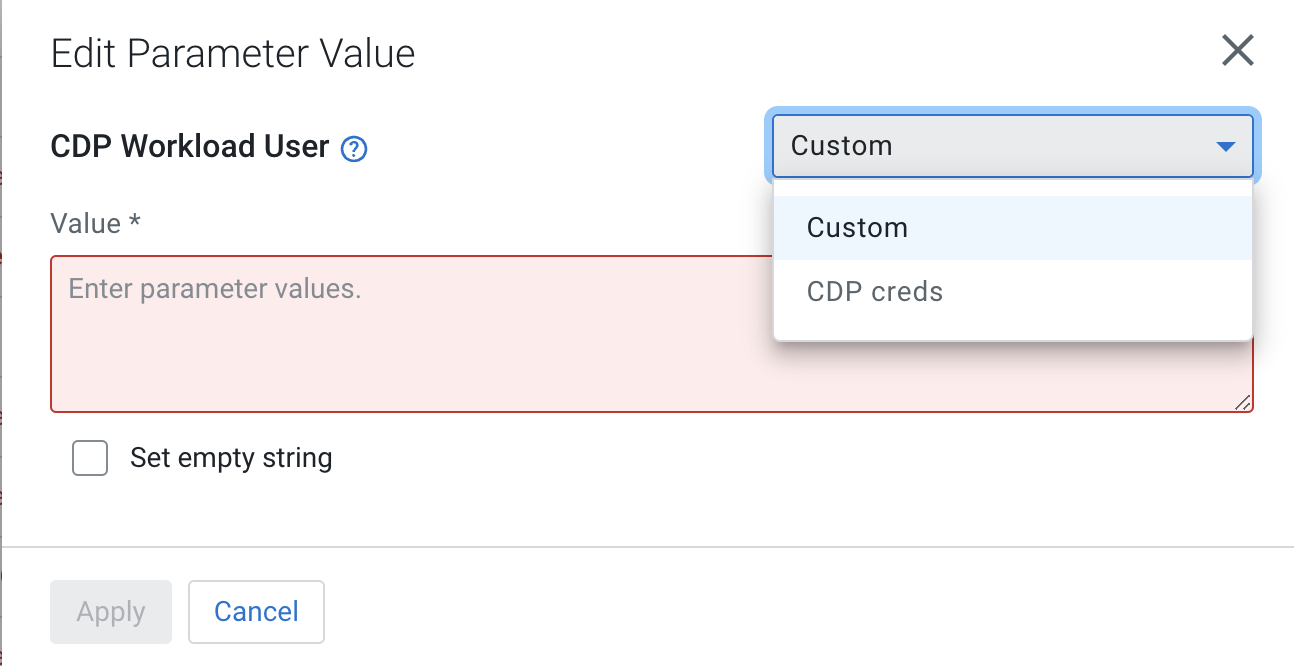
You may edit parameters individually by clicking the edit
 icon next to them
or you may edit entire parameter groups by selecting the Edit
Group option.
icon next to them
or you may edit entire parameter groups by selecting the Edit
Group option.
In either case, you have the option to define a custom parameter value that is specific to this deployment or, if available, select the value from a shared parameter group.
-
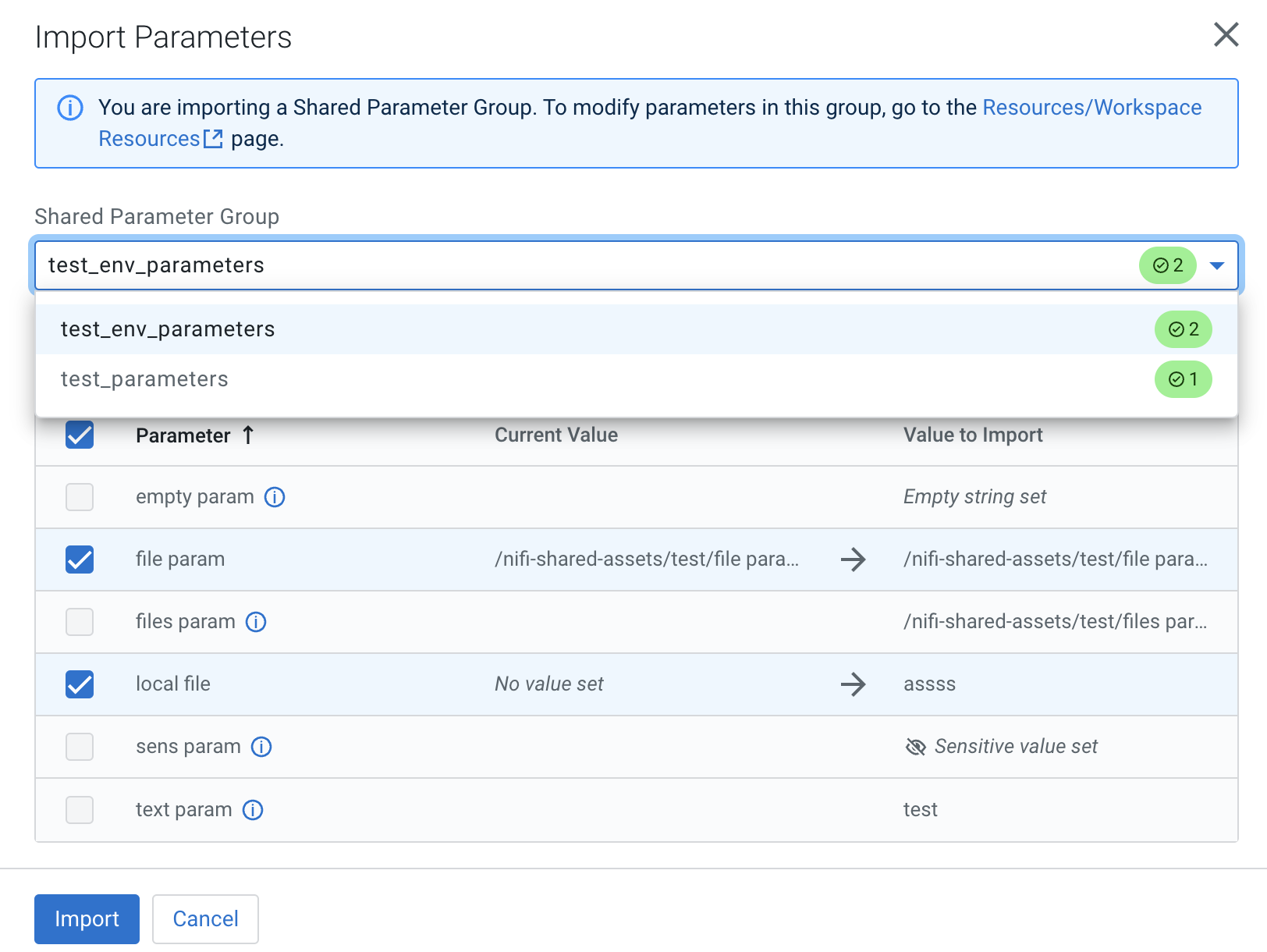
You may import a set of shared parameters from a parameter group to fill in
values and facilitate flow deployment. To do so, select the
 Import Shared Parameters option.
-
Parameters in the shared group that match a deployment parameter are preselected, unless you have already modified that parameter in the deployment wizard. In that case that particular parameter is left unselected to protect any changes you have already made and you need to manually select that parameter.
-
Configure sizing and scaling
Set the size and number of Apache NiFi nodes, auto-scaling, and the type of storage to be used.
-
Click Next .
Set Key performance indicators
Optionally add key performance indicators to help you track the performance of your flow deployment then review your settings and launch the deployment process.
-
Click Next .
Verify your settings and initiate deployment
Review deployment settings, make any necessary changes, and start deployment.
-
Review a summary of the information provided and make
any necessary edits by clicking
 Previous.
After you click Deploy, you are redirected to the Alerts tab in the Flow Details where you can track how the deployment progresses.
